
Enable building design with Matterport's CAD file plugin
Accelerate your workflows and reach quality building conditions faster than ever before.
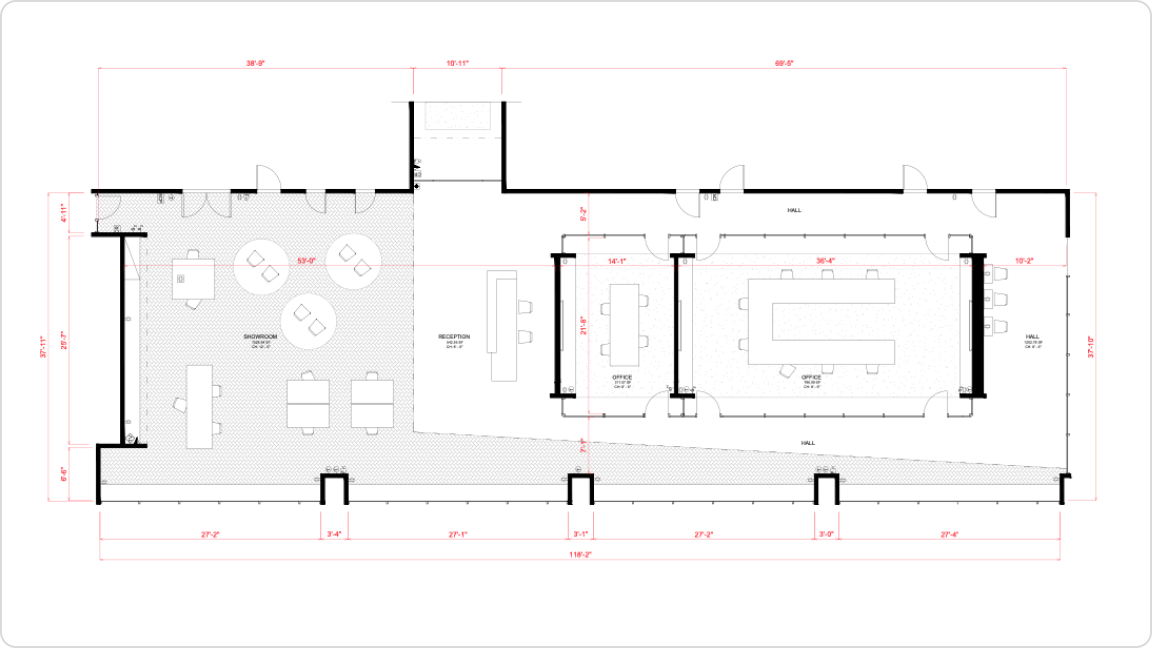
Get your files in days, not weeks
Whether you draw the models manually yourself or outsource the work to vendors, Matterport simplifies your workflow by allowing you to automatically generate and download your CAD file within a few days. This gives you high-quality, ready-to-use drawings without dealing with difficult ordering or vendor quality management.
Design files more accessible than ever - Delivered fast
With a Professional subscription plan or higher, you can turn your CAD files into 3D work in just 1 day. Our multi-functional offering provides flexibility and includes four different structural element output options for customization.
Architectural Design
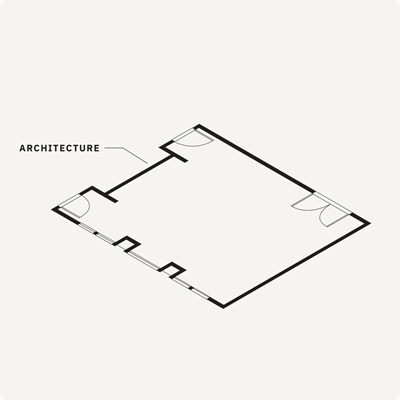
This standard CAD file reflects the main components of the building's internal structure, including visible walls, floors, doors, columns, ceilings, windows, bathroom fixtures, stairs, and the roof.
Architecture and Electrical
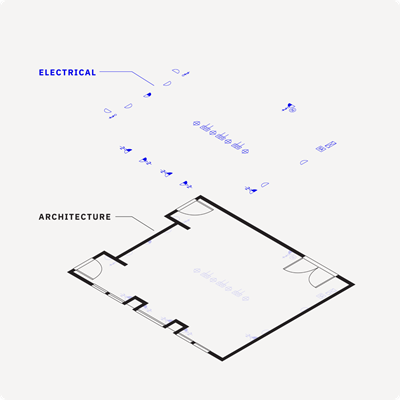
Based on the scan point cloud, model the architectural and general models of existing conditions according to the dimensions of internal architectural and electrical elements (power/data outlets, lighting fixtures/switches, alarms, etc.).
Architecture, Electrical and Interior Furniture
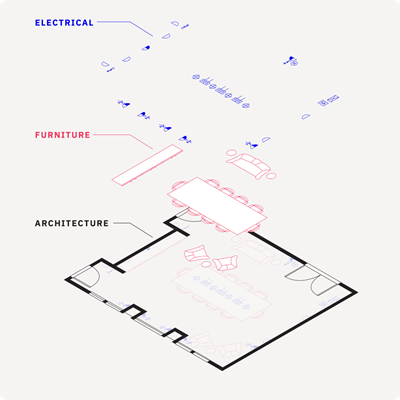
Get a comprehensive representation of all the architectural, interior furniture, and electrical elements mentioned above.
Simplify and accelerate design workflows with Matterport's CAD file plugin
Great designs and successful projects are built on a solid foundation.
However, getting accurate drawings is often time-consuming and unscalable. Matterport's CAD file plugin reduces documentation time and generates editable CAD drawings directly from Matterport digital twins with a single click, making your projects much more scalable.
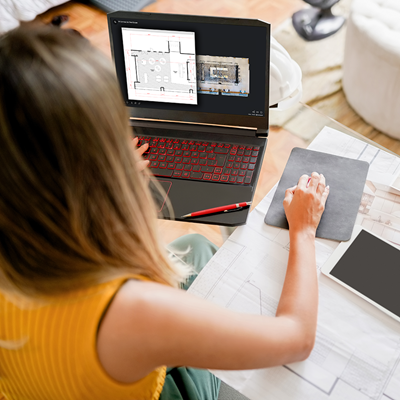
Watch this webinar to learn everything you need to know about the Matterport CAD file plugin.

• .DWG (Floor plans and Reflected Ceiling Plans if the Electrical option is selected)
• .DXF (Export format for CAD)
• .PDF (For all floor and ceiling plans)
• .CTB (CAD plotting and graphic standards)